Ranger Mini Steering Calibration
The Ranger Mini is a four-wheel swerve-drive platform, so each wheel steers independently. If the wheels are not aligned to a known zero the robot will crab, pull to one side, or refuse to drive straight. Calibration re-establishes that zero.
Two methods: autocalibration, which the robot performs itself, and manual calibration, where you straighten the wheels first and then tell the robot that this is straight ahead.
Not every firmware build supports autocalibration, so check which build your robot is running and use manual calibration if yours lacks it. On the Ranger Mini 2.0, V5.8.3 includes it and V5.8.7 does not; the Ranger Mini 2.0 page lists the builds. On the Ranger Mini 3.0, submit a support request quoting your version to ask whether it supports autocalibration.
Autocalibration
Turn on the robot and the controller. With SWA flipped down and VRA pushed to its bottommost position, press KEY1.
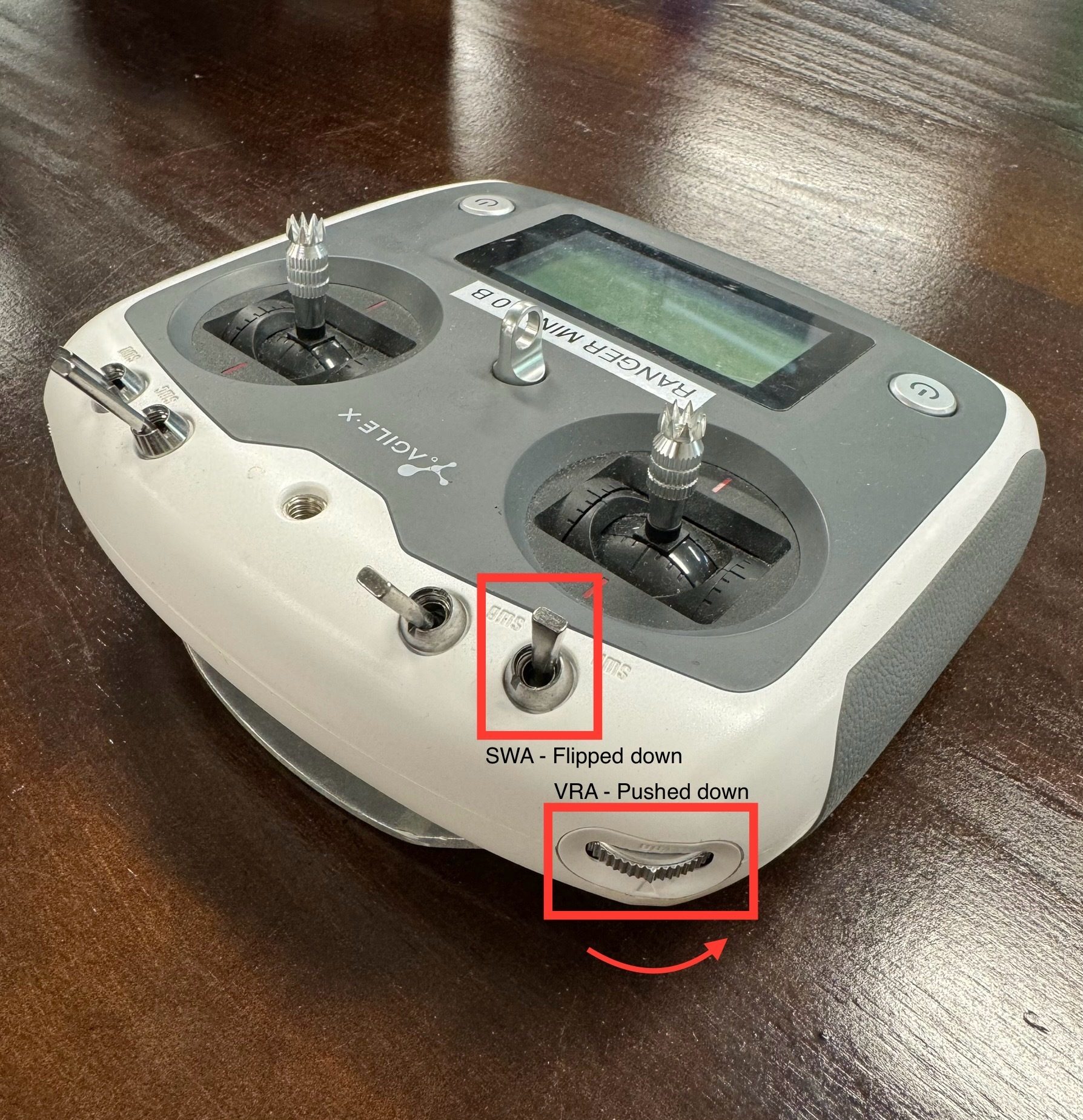
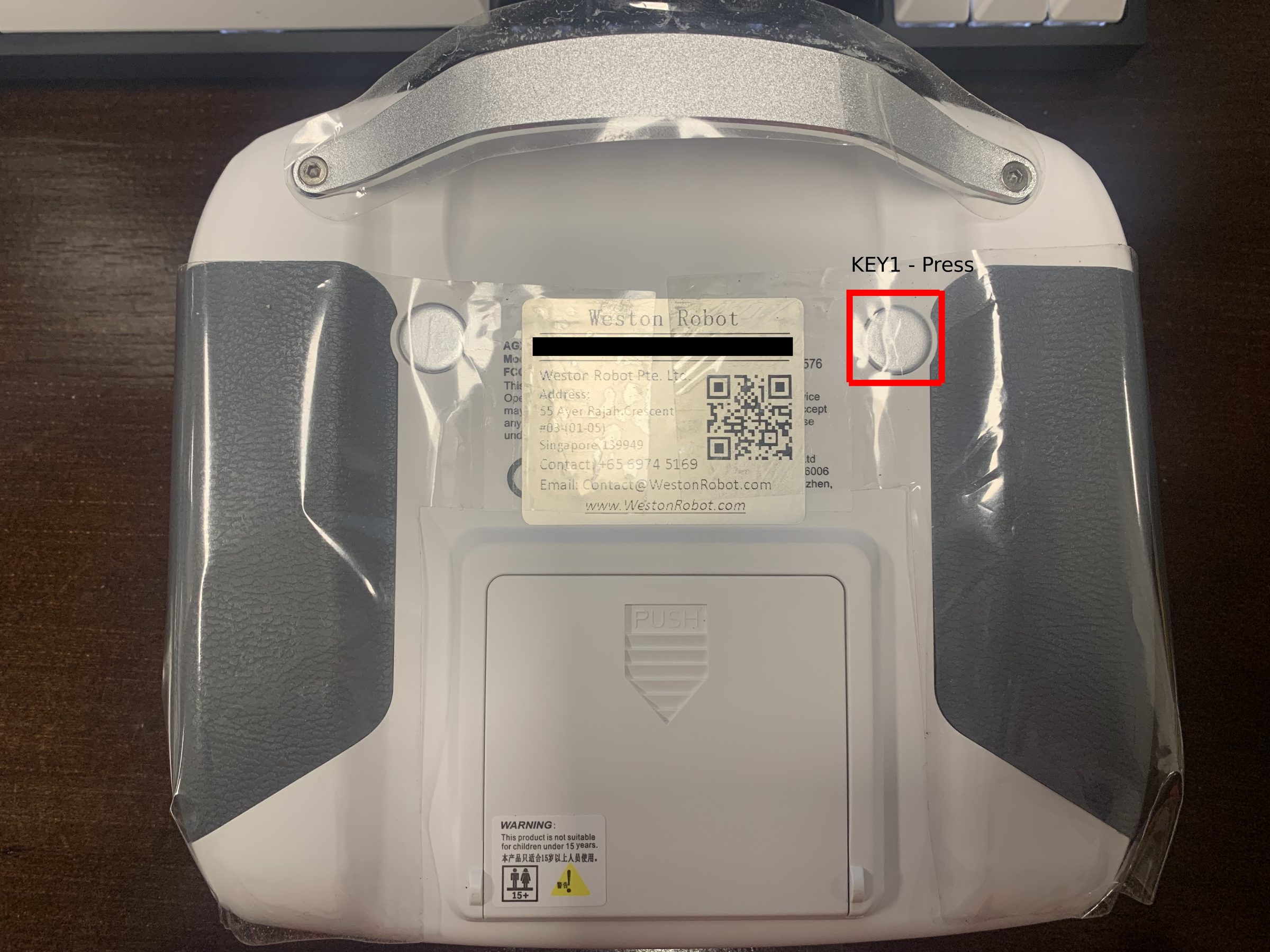
Manual calibration
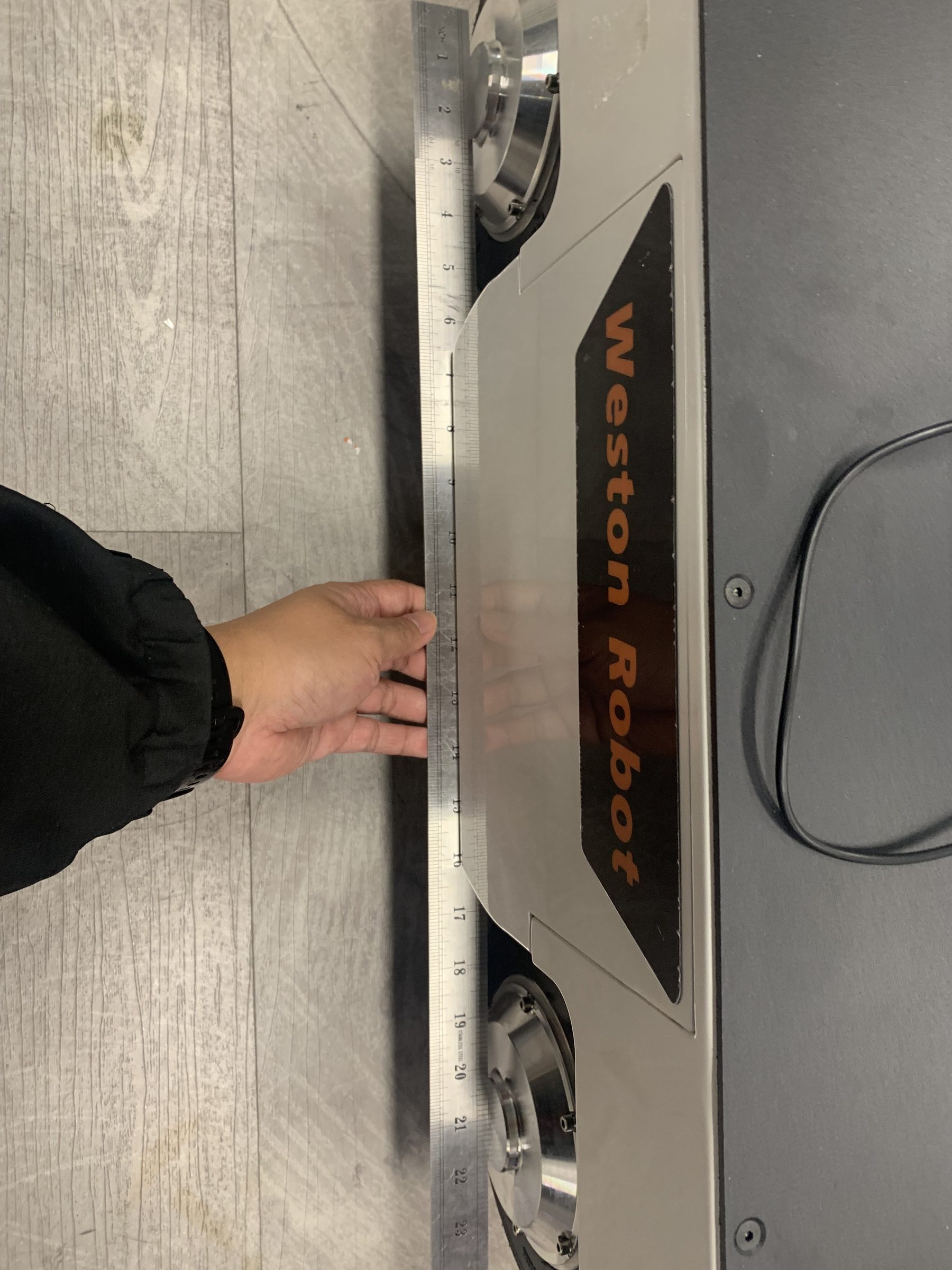
Turn off both the robot and the controller. With the robot powered down, straighten the steering wheels by hand — laying a long straight edge across them is usually enough to get them parallel.
Turn the robot and controller back on. With SWA flipped down and VRA pushed to its topmost position — the opposite of autocalibration — press KEY1.
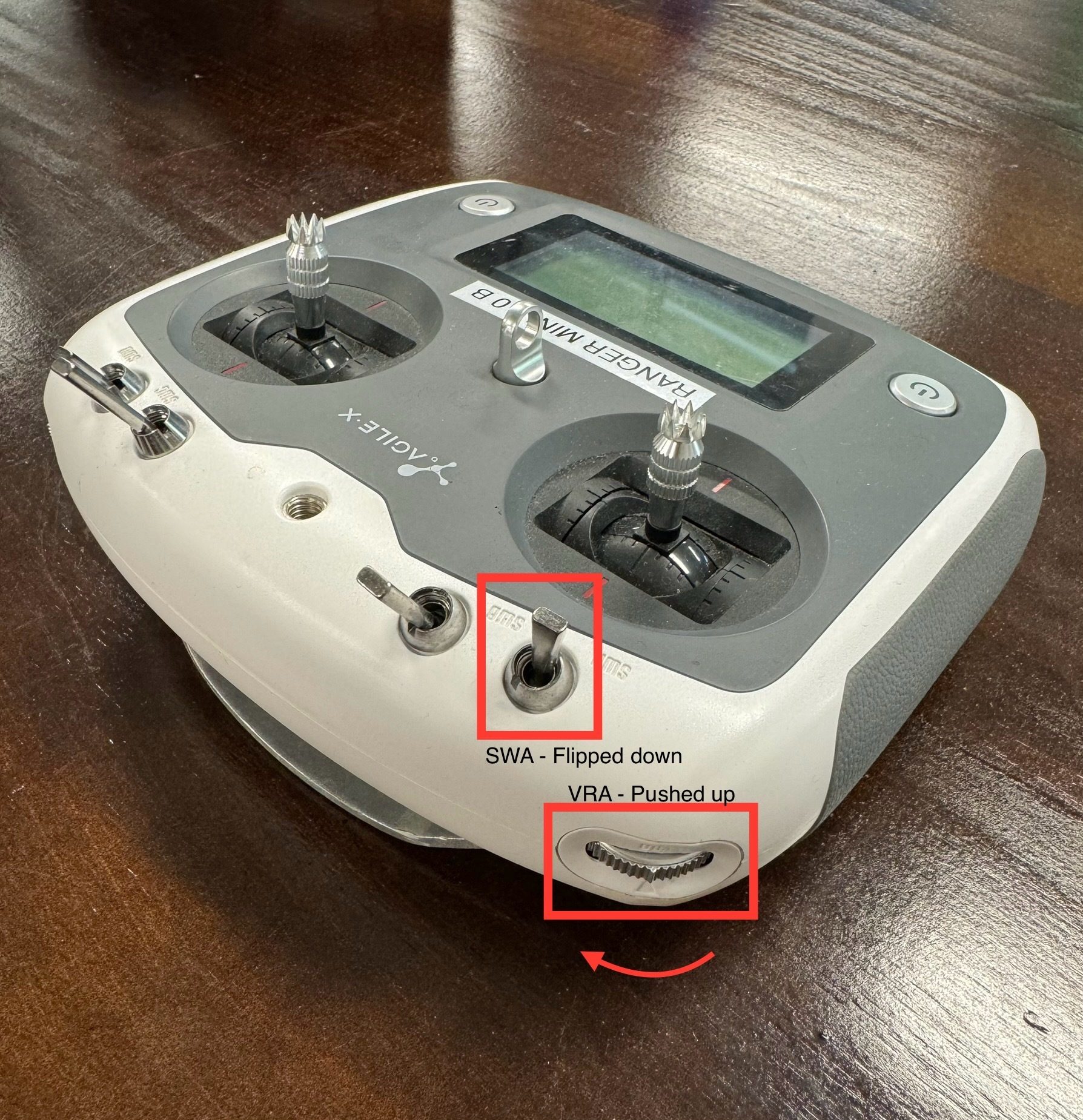
The controller display flashes an error code for one or two seconds and then returns to normal. That is the expected result — calibration is complete.
If it does not take
- Confirm the firmware supports the method you are using.
- Check the wheels really were straight before you started manual calibration; the robot takes your alignment as its zero, so any error you leave in becomes permanent until you redo it.
- If the controller keeps showing an error, or the robot still will not drive straight, contact us.