CM4-based onboard computer
A compact onboard computer built on the Raspberry Pi Compute Module 4. We extended the carrier board with CAN and RS485 so it can talk to robot bases and sensors directly, without a USB adapter in the path.
It is the smaller sibling of the NanoPC: fewer ports and less compute, but a smaller footprint, isolated buses, and the Raspberry Pi software ecosystem. Choose it when the workload is light — teleoperation, a sensor bridge, or a base driver — rather than perception.
Raspberry Pi's Compute Module documentation covers the module only. The carrier board, and everything on it described below, is ours.
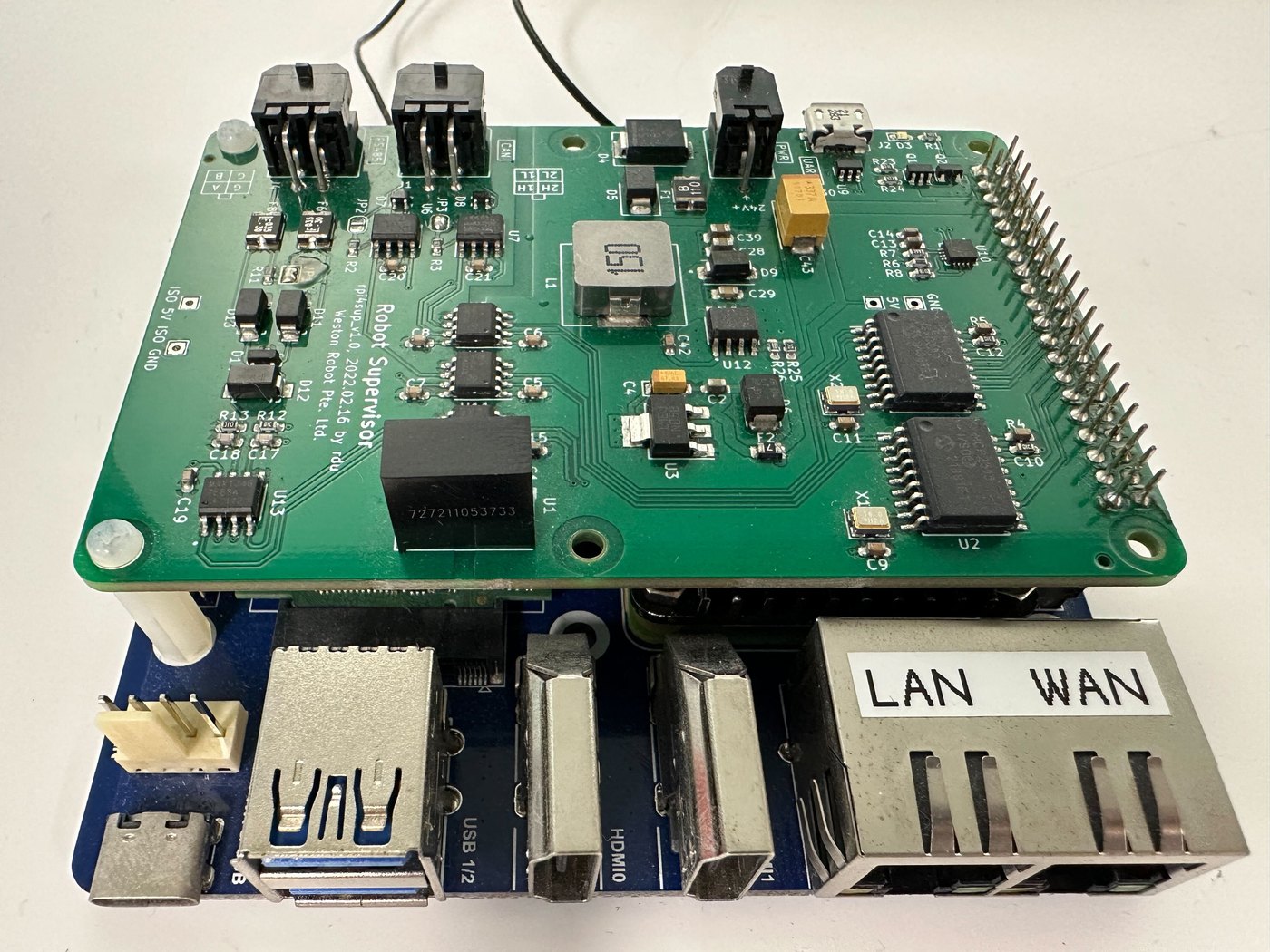
Getting started
- Mount the board and give it airflow.
- Power it through the 5.5 × 2.1 mm DC jack. It accepts 12–29 V; 12 V is recommended.
- Wire your devices to the CAN and RS485 ports.
- Bring the CAN interfaces up before use — see Electrical interfaces.
Key information
Related resources
| Resource | What it is | Where |
|---|---|---|
| Compute Module documentation | Raspberry Pi's documentation for the CM4 module — module only, not our carrier board | Raspberry Pi CM4 docs |
Installing Weston Robot packages on the computer? Add our package repository first: Weston Robot Apt Source.
Electrical interfaces
| Interface | Count | Notes |
|---|---|---|
| CAN | 2 | Isolated, with transceivers |
| RS485 | 1 | Isolated |
| Ethernet | 2 × Gigabit | |
| USB | 2 × USB 3.2 Gen1 | |
| Video out | 2 × HDMI 2.0 | |
| Power input | 5.5 × 2.1 mm DC jack, 12–29 V | 12 V recommended |
Galvanic isolation on these ports means a ground fault or voltage difference on the bus does not propagate into the computer. That is the main electrical advantage this board has over the NanoPC, which offers more ports and more compute but does not isolate all of them.
Like any Linux CAN interface, the CAN ports must be brought up before use:
sudo ip link set can0 up type can bitrate 500000
sudo ip link set can0 txqueuelen 1000
The NanoPC page shows how to make that persist across reboots; the same /etc/network/interfaces configuration applies here, with two interfaces rather than three.
Specifications
Figures for the unit as we supply it.
| SoC | Broadcom BCM2711, quad-core Cortex-A72 (ARMv8) 64-bit at 1.5 GHz |
| RAM | 4 GB or 8 GB |
| Storage | 32 GB eMMC |
Troubleshooting & FAQ
A CAN interface does not appear
CAN interfaces have to be brought up explicitly and do not persist across a reboot unless configured — see Electrical interfaces.
Should I use this or the NanoPC?
The CM4 board is smaller and its CAN and RS485 ports are isolated. The NanoPC has substantially more compute, three CAN interfaces rather than two, and both RS485 and RS232. For anything involving perception or a GPU, neither is the right answer — see the reComputer J4012.
Support
Collect the serial number, OS image version and logs before raising a ticket — Before you contact us lists what helps and includes the commands to gather it.