As2
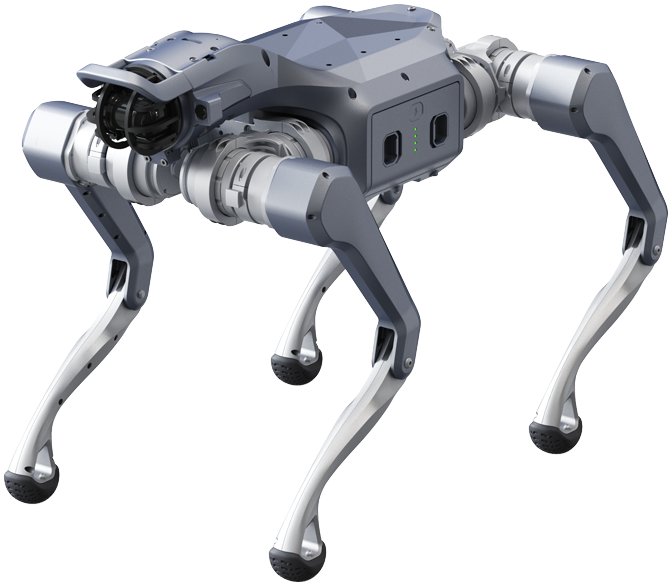
Unitree's As2, a compact industrial quadruped, supplied as a development platform. Unitree's control stack handles locomotion; you write your application against it over the robot's internal network, wired for anything touching low-level control.
This page does not repeat or replace Unitree's documentation. It highlights the information you reach for most often, and supplements it with what we have learned from supplying and supporting these units — configuration, verified values, and our own guides.
Unitree's own documentation:
A wheeled variant, the As2-W, is also listed by Unitree. TODO — confirm whether we supply it, and whether it needs its own page.
The structure is in place; the platform-specific detail is not. Everything marked TODO below needs confirming against units as we supply them — do not rely on this page until those are filled in.
Delete this admonition once the page is complete.
Getting started
Read Operational Safety before powering the robot for the first time, including the additional hazards specific to quadrupeds. The As2 is a legged robot that can fall, and the guidance there on keeping clear of the leg envelope prevents the most common injuries and damage.
Bring-up in outline:
- Power on and pair the controller or the mobile app.
- Connect your machine to the robot's internal network over Ethernet.
- SSH to the onboard computer — see Logins and IP addresses.
- Install the SDK and run one of Unitree's examples to confirm the chain works.
TODO — confirm the first-run sequence, and link our own bring-up guide if we publish one.
Key information
A quick reference for the things you reach for most often, collected so you can find them with the robot in front of you. Values are as configured on the units we supply.
Related resources
Files and repositories you clone or download to work with the robot.
| Resource | What it is | Where |
|---|---|---|
| SDK development guide | Unitree's As2 SDK documentation | AS2 SDK Development Guide |
| C++ SDK | TODO — confirm which SDK applies to the As2 | |
| ROS 2 package | TODO | |
| URDF / CAD | TODO |
Installing Weston Robot packages on the robot or your host? Add our package repository first: Weston Robot Apt Source.
Vendor manuals, videos and the mobile app are on the official pages linked at the top of this page.
Logins and IP addresses
TODO — the onboard computer's address and credentials, and which computer the customer's code runs on.
| Computer | Address | Credentials | What it is |
|---|---|---|---|
| TODO |
Use a wired connection for anything touching low-level control — WiFi dropouts can stall a control loop and drop the robot. WiFi is reasonable for high-level work and for internet access.
Serial number
TODO — where the serial number and model designation are found on this platform.
Network layout
TODO — a Mermaid diagram of the internal network, once the addresses above are confirmed. See the G1 for the pattern.
Electrical interfaces
TODO — interface locations and pinouts, for mounting a payload.
What we supply
TODO — fitted sensors, onboard computer variant, and anything else that differs from a unit bought direct from Unitree. This is the section only we can write, so it matters most.
Troubleshooting & FAQ
TODO — questions customers actually ask about this platform.
Questions that apply across our platforms
These are answered in the guides rather than repeated on every product page:
- Is the robot waterproof? — and what the ratings mean across platforms
- How often do I need to lubricate the joints? — and what to do about stiffness or play
- The robot has fallen over and does not respond to the controller — the recovery sequence
Support
Collect the serial number, firmware version and logs before raising a ticket — Before you contact us lists what helps and includes the commands to gather it.