PiPER
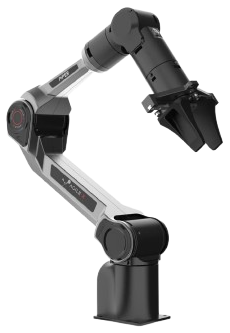
PiPER is AgileX's lightweight 6-DOF manipulator, aimed at research and light automation where weight and cost matter more than payload. It is driven over CAN, which makes it straightforward to mount on a mobile base alongside a UGV.
This page does not repeat or replace AgileX's documentation. It highlights the information you reach for most often, and supplements it with what we have learned from supplying and supporting these units — configuration, verified values, and our own guides.
AgileX's own documentation:
Getting started
Read Operational Safety before powering the arm for the first time, including the additional hazards specific to manipulators. A manipulator moving under program control is a crush hazard — keep clear of the working envelope until you have tested your motion limits.
Bring-up in outline:
- Mount the arm on a rigid surface, or on the base it will run on.
- Connect power and a CAN interface to your computer.
- Bring up CAN and confirm the arm responds — the CAN protocol reference under Related resources documents the frames (in Chinese).
- Drive it from code using
piper_sdk.
The quick start guide under Related resources is the shortest path, and the unboxing and gripper-installation videos below cover the mechanical side.
Key information
A quick reference for the things you reach for most often, collected so you can find them with the robot in front of you. Values are as configured on the units we supply.
Related resources
Files and repositories you clone or download to work with the arm.
Documents we publish — generated from the file store, so a new revision appears here without this page being edited.
| File | Type | Version | Language | Size | SHA256 |
|---|---|---|---|---|---|
| API reference · CAN protocol | XLSX | v1.5 | 中文 | 95 KB | 67fe93a48403 |
| CAD | ZIP | v2025.01.06 | — | 15.9 MB | 5a24f29ff9b6 |
| CAD · Drag tool | ZIP | v2024.12.09 | — | 1.4 MB | 6e8ee15d5a3c |
| CAD · Gripper | ZIP | v2024.12.09 | — | 927 KB | 02830ca5b330 |
| Quick start | v1.0 | English | 623 KB | 1d651bed483a | |
| User manual | v1.1.0 | 中文 | 11.0 MB | 9cf19bc2bf54 | |
| User manual | v1.0 | English | 4.5 MB | 60c438c768f2 |
Everything else — code repositories, maintained by hand.
| Resource | What it is | Where |
|---|---|---|
| SDK | Primary development interface | piper_sdk · examples |
| ROS 1 | ROS Noetic integration | Piper_ros noetic |
| ROS 2 | ROS 2 integration | Humble · Foxy |
| Simulation | Gazebo, Isaac Sim and MoveIt 2 | Gazebo / MoveIt 2 · Isaac Sim |
| URDF | Robot model | urdf |
Installing Weston Robot packages on your host? Add our package repository first: Weston Robot Apt Source.
Reach, payload and repeatability are on the official product page rather than copied here.
Control interface
The arm is driven over CAN, the same interface used by AgileX's UGVs — so if you are already running a Scout Mini or Ranger Mini, the CAN setup in Robot Base Control applies here too, on a separate bus.
Videos
AgileX's own walkthroughs, in Chinese:
Troubleshooting & FAQ
Support
Collect the serial number, firmware version and logs before raising a ticket — Before you contact us lists what helps and includes the commands to gather it.