xArm
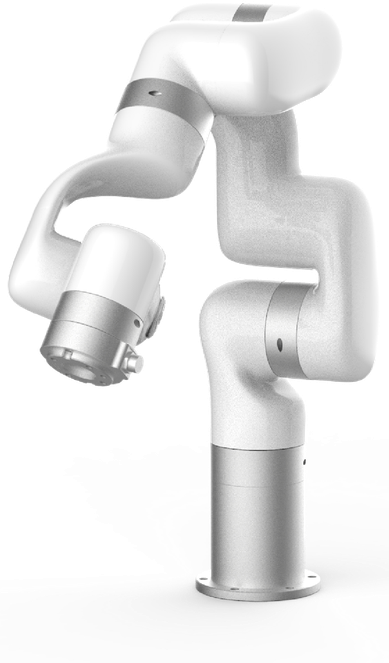
The xArm is UFactory's industrial manipulator family, available in 5, 6 and 7 degree-of-freedom variants. It is controlled over Ethernet and supplied as a development platform for machine tending, laboratory automation and light industrial work.
This page does not repeat or replace UFactory's documentation. It highlights the information you reach for most often, and supplements it with what we have learned from supplying and supporting these units — configuration, verified values, and our own guides.
UFactory's own documentation:
Getting started
Read Operational Safety before powering the arm for the first time, including the additional hazards specific to manipulators. A manipulator moving under program control is a crush hazard — keep clear of the working envelope until you have tested your motion limits.
Bring-up in outline:
- Mount the arm on a rigid surface that can take the reaction forces.
- Connect power and Ethernet to the control box.
- Reach the controller from UFactory Studio or one of the SDKs.
- Set your motion and speed limits before running anything at full speed.
UFactory's documentation covers each step in detail. We do not publish an xArm bring-up guide of our own.
Key information
A quick reference for the things you reach for most often, collected so you can find them with the robot in front of you. Values are as configured on the units we supply.
Related resources
Files and repositories you clone or download to work with the arm.
| Resource | What it is | Where |
|---|---|---|
| Manuals, software, 3D models | UFactory's download hub | Download page |
| Python SDK | Primary development interface | xArm-Python-SDK |
| C++ SDK | Same interface in C++ | xArm-CPLUS-SDK |
| ROS package | ROS 1 integration | xarm_ros |
| ROS 2 package | ROS 2 integration | xarm_ros2 |
Installing Weston Robot packages on your host? Add our package repository first: Weston Robot Apt Source.
Reach, payload, repeatability, joint limits and power figures differ between the xArm 5, 6 and 7 and are published on UFactory's download page rather than copied here.
Control interface
The arm is reached over Ethernet. End effectors are driven over Modbus RTU (RS485), with digital, analogue and RS485 I/O available at the tool flange — check the variant's manual for the exact pin assignment before wiring a gripper.
Confirm which variant you have before writing motion code: the xArm 5, 6 and 7 differ in degrees of freedom, payload and joint limits, so a trajectory valid on one may be unreachable on another.
Troubleshooting & FAQ
Support
Collect the serial number, firmware version and logs before raising a ticket — Before you contact us lists what helps and includes the commands to gather it.