NERO
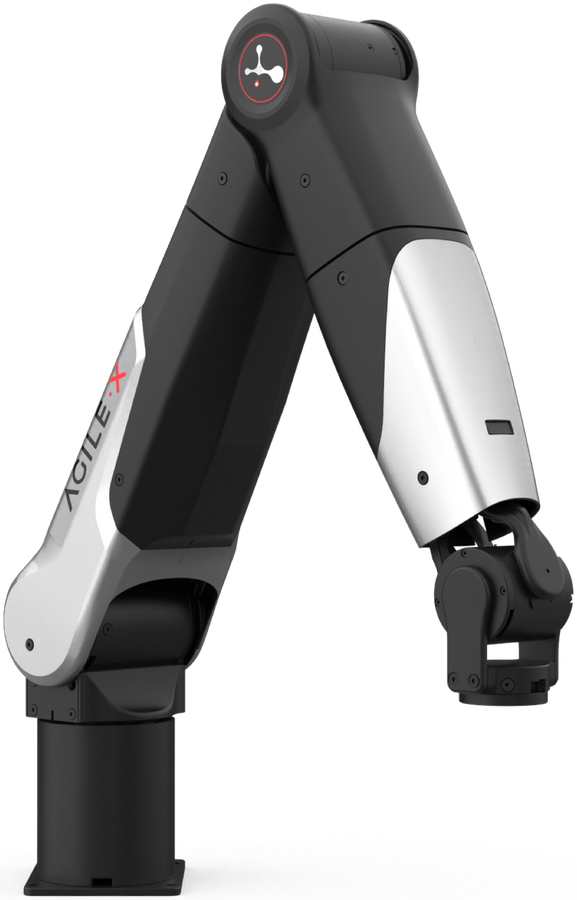
The NERO is AgileX's 7-DOF research manipulator. The seventh axis gives it a redundant degree of freedom, so it can reach a pose from more than one arm configuration — useful for working around obstacles, and the reason it turns up in manipulation and learning research rather than in fixed industrial cells.
AgileX position it at academic and R&D users, with an open architecture and motors of their own design.
This page does not repeat or replace AgileX's documentation. It highlights the information you reach for most often, and supplements it with what we have learned from supplying and supporting these units — configuration, verified values, and our own guides.
AgileX's own documentation:
The structure is in place; the platform-specific detail is not. Everything marked TODO below needs confirming against units as we supply them — do not rely on this page until those are filled in.
Delete this admonition once the page is complete.
Getting started
Read Operational Safety before powering the arm for the first time, including the additional hazards specific to manipulators. A manipulator moving under program control is a crush hazard — keep clear of the working envelope until you have tested your motion limits.
Bring-up in outline:
- Mount the arm on a rigid surface that can take the reaction forces.
- Connect power and the control link.
- Confirm the arm responds before writing any motion code.
- Move to the SDK — TODO, confirm which SDK and ROS packages apply.
TODO — confirm the first-run sequence and link AgileX's own setup documentation.
Key information
A quick reference for the things you reach for most often. Values are as configured on the units we supply.
Related resources
Files and repositories you clone or download to work with the arm.
| Resource | What it is | Where |
|---|---|---|
| Manual | TODO | |
| SDK | TODO — confirm which SDK applies | |
| ROS / ROS 2 packages | TODO | |
| URDF / CAD | TODO |
Installing Weston Robot packages on your host? Add our package repository first: Weston Robot Apt Source.
Reach, payload, repeatability and joint limits are published on AgileX's product page rather than copied here.
Control interface
TODO — how the arm is reached (Ethernet, CAN, serial), and which interface we recommend.
Serial number
TODO — where the serial number and model designation are found on this platform.
What we supply
TODO — end effector, mounting, cabling, and anything else that differs from a unit bought direct from AgileX. This is the section only we can write, so it matters most.
Troubleshooting & FAQ
TODO — questions customers actually ask about this arm.
Support
Collect the serial number, firmware version and logs before raising a ticket — Before you contact us lists what helps and includes the commands to gather it.